How-to
DIY Fold-Down Wall Desk: Two Simple Plans, Sized for Knees and Screens
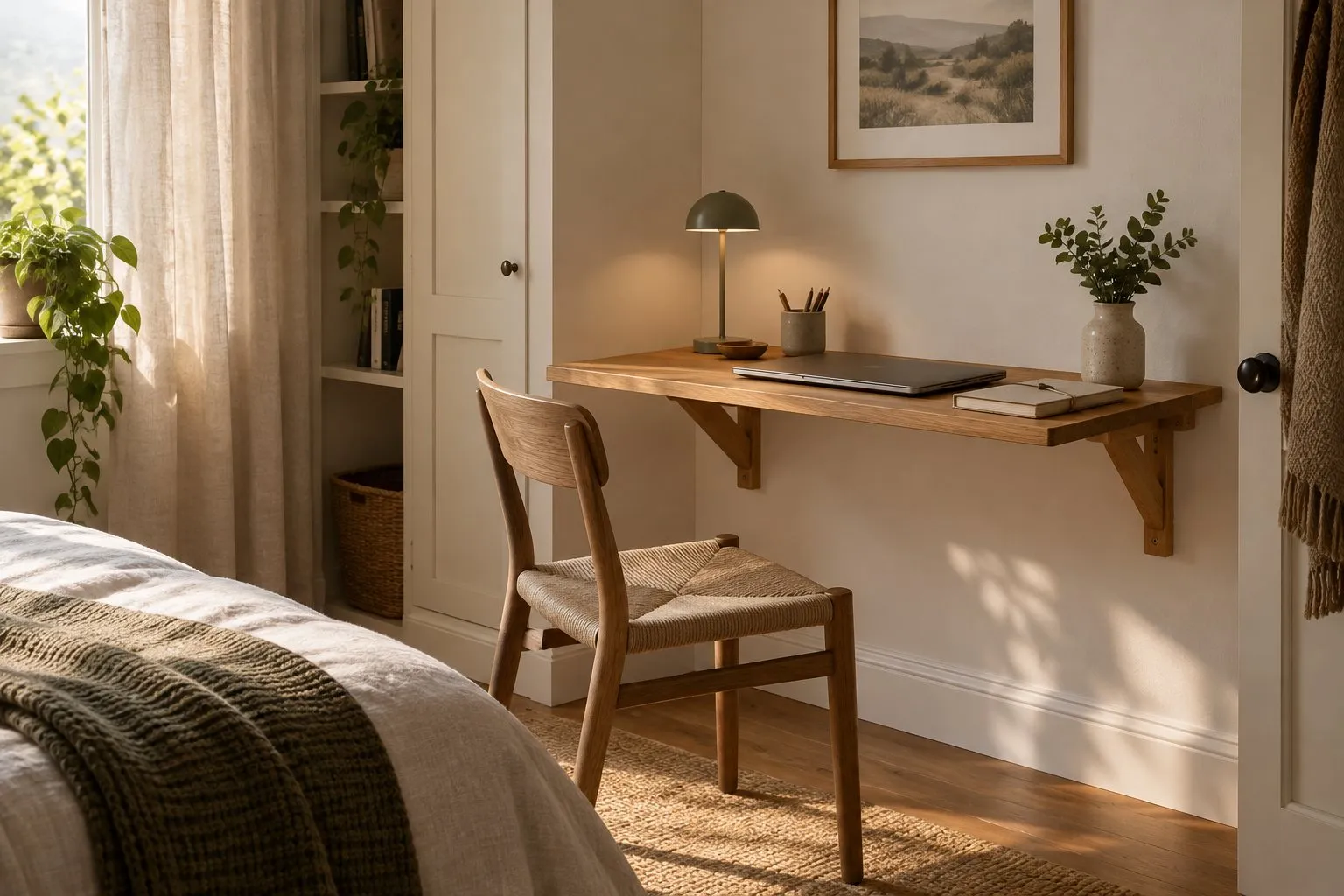
A DIY fold-down desk is either a flat top on two locking folding brackets or a shallow box on the wall whose front drops down onto flap stays. Both go into studs. What makes it a desk rather than a table is the sizing: the top edge at about 29 to 30 inches, at least 30 inches of free knee width between the supports, and enough depth for the screen you use.
Disclosure: This page contains affiliate links (marked with *). If you buy through them, we earn a small commission at no extra cost to you. As an Amazon Associate I earn from qualifying purchases. Learn more
The short version
Choose the plan first: folding brackets for a plain laptop top, a drop-front box with flap stays if papers should close away. Mark studs (16 or 24 inches on center), set the top edge at about 29 to 30 inches, keep at least 30 inches clear between the brackets for your knees, and screw the brackets or the box into studs before you fit the top.
What you build and what it takes
There are two simple ways to build a desk that folds away:
| Plan | How it works | Good for |
|---|---|---|
| A: top on folding brackets | a board on two locking folding brackets screwed into studs; folds flat against the wall | a laptop spot in a bedroom or hall |
| B: drop-front box | a shallow box on the wall; its front is hinged at the bottom and held level by flap stays | papers and supplies that should close away |
Plan A is the DIY folding table with desk dimensions; the carpentry is the same as in the DIY wall-mounted folding table guide, so this page focuses on what changes for a desk. Plan B is a small cabinet build, close to a Murphy desk. Neither the bracket sellers nor Rockler give a build time.
Tools and material
- Plan A: two locking folding brackets, a board for the top, wood screws for the studs, short screws for the top
- Plan B: plywood for a shallow box, a full-length hinge for the front, a pair of flap stays sized for the front's weight, a catch if the stays have none
- Stud finder, tape measure, level, drill with bits, saw, sandpaper
Size it as a desk
Height. For seated work the top edge belongs at about 29 to 30 inches above the floor; the 2010 ADA Standards set 28 to 34 inches for work surfaces (902.3). The mounting height guide shows how to go from the top edge to the drill line.
Knee room. The ADA Standards treat the space between 9 and 27 inches above the floor as knee clearance and ask for at least 30 inches of width (306.3). On a bracket desk, the brackets sit under the top, so keep at least 30 inches clear between their inner edges. On 16-inch studs that rules out two neighboring studs; use every second stud or a ledger board.
Depth. A laptop works on a shallow top. A separate monitor needs more: OSHA asks for it directly in front of you and at least 20 inches away, so a narrow wall desk often pairs better with a wall arm than with a deeper top. Deeper tops also pull harder on the upper screws, as the page on weight capacity explains.
Studs. Wood studs are 16 or 24 inches on center, depending on stud size and load (IRC Table R602.3(5)). Measure before you cut the top; the bracket spacing has to be a multiple of the stud spacing or go on a ledger board.
Step by step
Choose the plan and the size
Decide between brackets and a drop-front box. Fix the width so the brackets can sit on studs with knee room between them, and the depth for your laptop or screen.Find and measure the studs
Mark both edges of each stud and measure center to center. Check for outlets and switches in the zone below the desk.Mark the desk height
Mark the finished top edge at about 29 to 30 inches and subtract the thickness of the top. That line is the top of the bracket arms, or the hinge line of the drop front.Fix the supports into the studs
Screw the brackets, or the back of the box, into the studs with pilot holes and wood screws long enough to reach well into the wood. Check level before the last screw.Fit the top or the drop front
Plan A: lay the top on the open arms, leave a small gap to the wall so it can fold, and screw it on with screws shorter than the top is thick. Plan B: hinge the front to the bottom of the box and fit the flap stays exactly as their instructions say.Check the fold and route the cables
Fold the desk several times. Brackets must lock fully; stays must hold the front level and the catch must keep it shut. Lead charger cables so the desk closes without pinching them.
Hinges, stays and brackets: which part does what
A full-length hinge only joins the front to the box. The flap stay is what holds it: Rockler describes the Sugatsune SDS-C100 as lowering a drop-front desk lid gently, supporting it level for use as a writing surface and keeping it closed with an integral catch. Rockler names no figure for what the open lid can carry and points to the technical documents for which lid weights the stay suits. For a desk you lean on, check that sheet before you build. All four part types are sorted in hinges and locking supports for fold-down tables.
For Plan A, the brackets in our data have seller data only: the 16 in stainless folding brackets* suit a laptop-depth top, the CLT 24 in brackets* a deeper one.
Typical mistakes
- Brackets on neighboring studs. It saves a ledger board but leaves no knee room.
- A top that is too deep for the wall. More depth means more leverage on the upper screws.
- Flap stays chosen by looks. They are sized by the weight of the front.
- Cables in the fold. Lead them along the side so the desk closes without pinching them.
Safety
A desk is leaned on every day. Screw into studs, a ledger board on studs or masonry, never into drywall alone, and keep children from hanging on the open top. Walls can hide cables and pipes; check before you drill and ask a carpenter if you are unsure.
Rather buy than build?
COSTWAY Drop-Leaf 31.5 x 23.5
A drop-leaf top deep enough for two place settings that folds to 3 inches against the wall.
Why here: Costway lists computer table use for this drop-leaf top: 31.5 x 23.5 inches open, 3.0 inches folded, 66 lb maximum, without a named wall.
Best for: Small kitchens and studios where two people eat or work at the wall
- 23.5 in deep when open – room for two plates facing each other
- Folded size 31.5 x 21 x 3.0 in according to Costway
- Two ways to fold: drop one leaf or both
- Maker states a 66 lb maximum load
- Costway does not say which wall or fasteners the 66 lb rating assumes
- The supplied expansion screws are generic – plan your own fasteners for studs or masonry
- MDF top: wipe spills, do not leave it wet
- Type
- Drop-leaf top on a wooden support
- Top size
- 31.5 x 23.5 in (open)
- Folded depth
- 3.0 in (Costway)
- Load rating
- 66 lb max (Costway)
- Mounting
- Hinges and screws; studs not mentioned
- Material
- P2 MDF, pine, metal hinges
The ready-made wall desks, with and without cabinets, are compared on the page about wall-mounted folding desks. All tables are side by side on the homepage.
Questions people ask
How deep should a DIY fold-down desk be?
For a laptop and a notebook, the 16-inch depth of many wall desks is enough. For a separate monitor, plan more: OSHA's computer workstation guidance asks for the monitor directly in front of you and at least 20 inches away. Many people solve that with a wall arm above the desk instead of a deeper top.
Can I use piano hinges and chains instead of brackets?
A hinge only joins the front to the box; something must hold it level. Purpose-made flap stays do that: Rockler describes the Sugatsune SDS-C100 as lowering a drop-front desk lid and supporting it level, with a catch that keeps it closed. Rockler refers to the technical documents for which lid weights it suits and how many you need.
How high should a fold-down desk be?
For seated work, put the top edge at about 29 to 30 inches above the floor. The 2010 ADA Standards set 28 to 34 inches for work surfaces. Mark the top edge, subtract the thickness of the top and draw the line for the underside or the hinge line there.
Does a fold-down desk need studs?
Yes. The brackets or the box carry everything you lean on, so their screws go into wood studs, into a ledger board screwed across studs, or into masonry with suitable anchors. Hollow-wall anchors alone are no substitute for a desk you write and lean on every day.
Sources
- OSHA eTools: Computer Workstations – Desks (monitor distance, leg clearance)
- U.S. Access Board: 2010 ADA Standards, 306 Knee clearance and 902.3 Height of work surfaces
- Rockler: Sugatsune SDS-C100 Soft-Down Flap Stay / Drop Front Support
- 2012 Seattle Residential Code, Chapter 6 (IRC text), Table R602.3(5) Size, height and spacing of wood studs
- Costway: 31.5 x 23.5 Inch Folding Wall Mounted Table for Small Spaces (maker page, lists computer table use)
Keep reading
- Buying guideFolding desksWall-mounted folding desks compared: plain fold-down tops and cabinet desks with storage, the right height and depth for a laptop or monitor, and how to mount one.
- Buying guideFold-down table hingesHinges for a fold-down table or desk: locking folding brackets, drop-leaf hinges with leaf supports, flap stays for desks and locking leg hinges, with maker data.
- How-toDIY folding tableBuild a DIY wall-mounted folding table on folding shelf brackets: plan the top around your studs, pick the bracket length, cut the top and mount it safely.
- Buying guideMurphy deskWall-mounted Murphy desks compared: cabinet depth, desk load, monitor space and which walls the listings allow – HOMCOM, Tangkula, YUSING and Armocity side by side.
- ExplainerMounting heightWall-mounted folding table height: 28 to 34 inches for dining and desks per ADA 902.3, IKEA's bar heights, and why laundry height has no official number.
Who writes here
wallmountedfoldingtable.com Editorial Team
Fold-down tables, desks & workbenches
We are the editorial team at wallmountedfoldingtable.com. We compare maker spec sheets, manuals, retailer data, building codes and anchor data for wall-mounted folding tables and turn them into plain-English advice – with sources on every page. We do not run lab tests or load tests, and we say so openly.
- Maker specs, manuals & codes compared
- Sources on every page
- No lab tests – stated openly
- Publisher details in the imprint